
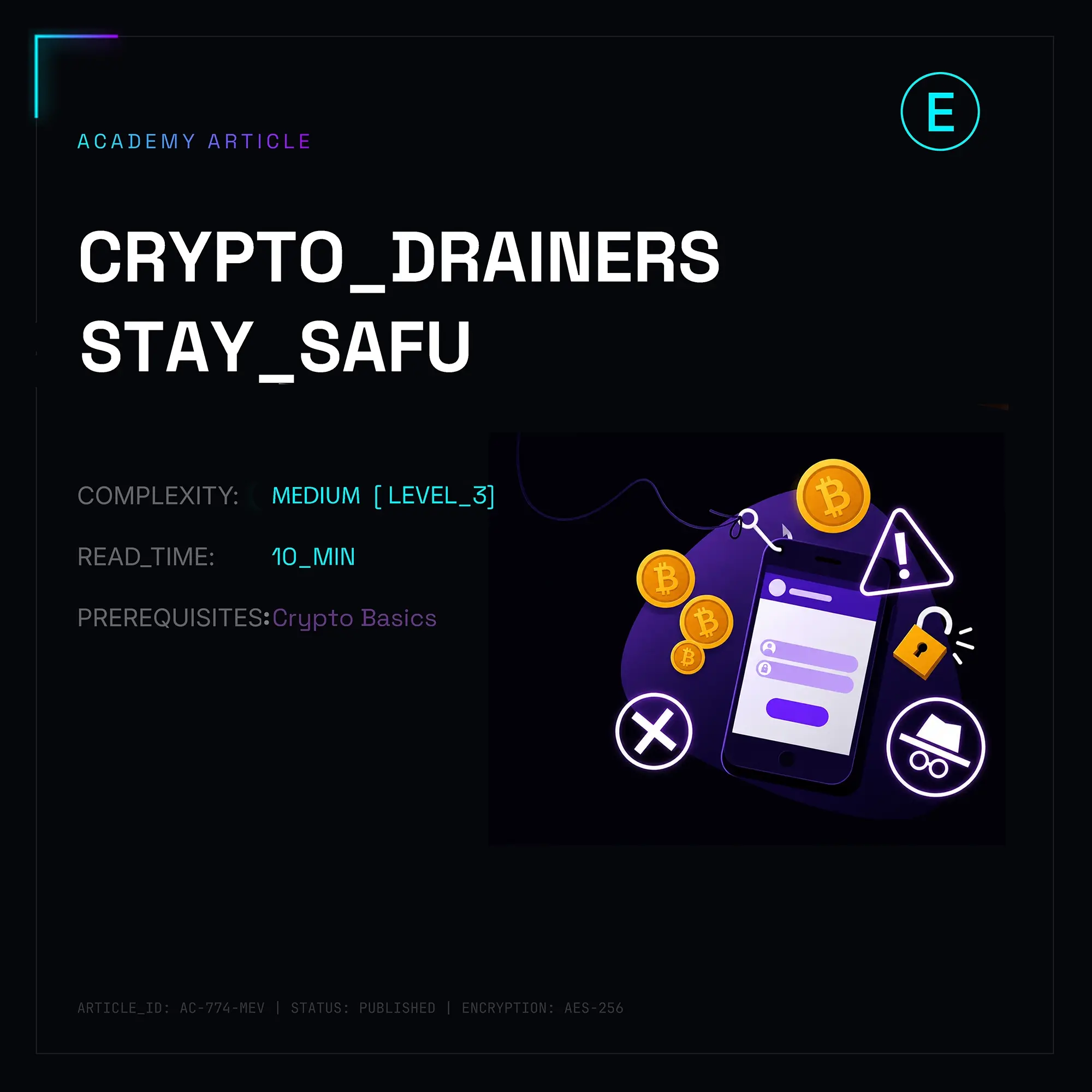
To spot a crypto drainer or rug pull before losing funds, inspect the smart contract on BscScan or Etherscan for unverified code, hidden mint() functions, or sell taxes exceeding 10%. Always run contract addresses through automated scanners like Token Sniffer, DEXScreener, and GoPlus Security to verify ownership renunciation and liquidity lock duration. Finally, guard your wallet against signature-based drainers by rejecting blind eth_sign, Permit2, or setApprovalForAll requests, and simulate every transaction using tools like Rabby Wallet or Pocket Universe.
Hey everyone. CTO here. I’ve spent the last three years keeping an exchange infrastructure alive while dealing with every conceivable vector of on-chain fraud. Before this, I was breaking smart contracts in security audits and pulling late-nighters at Web3 hackathons. I live and breathe this stuff—there’s honestly nothing quite like the adrenaline rush of reverse-engineering a malicious bytecode payload at 2 AM and realizing exactly how a malicious actor tried to pull off a multi-million dollar exploit.
Let's dive into how you can protect your wallet from the landmines littering the Web3 landscape today.
1. Quick Comparison: Honeypot vs. Rug Pull vs. Wallet Drainer
| Scam Type | How It Works | Key Warning Sign | Primary Tool to Detect |
|---|---|---|---|
| Honeypot | Smart contract allows users to buy tokens freely, but blocks sell calls via hidden logic or conditional reverts. | 100% sell tax, TRANSFER_FAILED error on DEX swaps, or zero sell transactions in recent history. | Token Sniffer / DEXScreener |
| Rug Pull | Developers inject liquidity, hype the token, then pull all LP tokens or dump their allocated supply into the pool. | Unlocked liquidity, LP lock under 6 months, or dev wallet holding >10% of total supply. | DEXTools / Uncx Network |
| Wallet Drainer | Phishing site tricks you into signing an off-chain message or allowance transaction that grants full wallet access. | Requests for eth_sign, Permit2 signatures, or setApprovalForAll on unverified dApps. | Pocket Universe / Rabby Wallet |
2. Step-by-Step Security Checklist Before Buying Any Token
Step 1: Automated Contract Scan
Run the token address through Token Sniffer, GoPlus Security API, and DEXScreener. If DEXScreener shows 800 buy transactions and literally zero sells over a 4-hour window, stop right there. It’s a honeypot. Period.
Step 2: Liquidity Lock Duration
A legitimate team locks their Liquidity Pool (LP) tokens via protocols like Uncx Network or PinkSale.
- Red Flag: Liquidity is unlocked, held in an EOA (Externally Owned Account), or locked for less than 6 months.
- Green Flag: LP tokens are burned (sent to 0x000000000000000000000000000000000000dead) or locked in a verifiable contract for at least a year.
Step 3: Distribution & Ownership Check
Inspect the Holders tab on Etherscan or BscScan.
If a handful of non-exchange, non-burn wallets control more than 5–10% of the total supply, you are the exit liquidity. Also, check if contract ownership is renounced. If it isn't, the owner can arbitrarily modify taxes, blacklist your address, or pause transfers whenever they feel like it.
Step 4: Transaction & Signature Auditing
Never blind-sign transactions. Modern wallet drainers rarely ask for standard ETH transfers anymore—they abuse off-chain signatures like EIP-712, Permit2, or EIP-2612 signatures to bypass standard wallet warning prompts. Use dynamic transaction simulation extensions to inspect state changes before broadcasting.
3. Deep-Dive Security Analysis & Code Mechanics
Let’s talk real technical mechanics. Why do traditional static analyzers miss sophisticated scams? Because scammers write context-aware logic.
Wait... why do people still think code verification on Etherscan guarantees safety? I ask myself this every time someone complains about losing money on a "verified" project. Source code verification simply proves that the deployed EVM bytecode matches the submitted Solidity files. It says zero about whether the logic inside those files is ethical or malicious!
The Honeypot Trick: Gas-Griefing & Dynamic Taxes
A common honeypot technique involves setting standard 2% fees during initial deployment, then pumping the fee to 99% inside the _transfer() function once enough liquidity enters.
Even worse are dynamic gas-griefing honeypots:
// SPDX-License-Identifier: MIT
pragma solidity ^0.8.20;
/*
 * My quick reverse-engineered replica of a honeypot logic I caught in the wild.
 * DO NOT deploy this. This is purely for educational breakdown.
 */
contract SneakyHoneypot {
    address private _owner;
    mapping(address => bool) private _isWhitelisted;
    mapping(address => uint256) private _balances;
    constructor() {
        _owner = msg.sender;
        _isWhitelisted[msg.sender] = true;
    }
    function transfer(address to, uint256 amount) public returns (bool) {
        _transfer(msg.sender, to, amount);
        return true;
    }
    function _transfer(address from, address to, uint256 amount) internal {
        require(_balances[from] >= amount, "ERC20: balance too low");
        // If it's a sell order (transferring to pair address) and sender isn't whitelisted
        if (!_isWhitelisted[from] && !_isWhitelisted[to]) {
            // Trick: Burn huge amounts of gas using an infinite loop or heavy memory allocation
            // causing the buyer's transaction to fail with an "Out of Gas" error!
            assembly {
                let m := mload(0x40)
                mstore(m, 0xdeadbeef)
                // Burn gas artificially on sell attempts
                invalid()
            }
        }
        _balances[from] -= amount;
        _balances[to] += amount;
    }
}
Notice what happens here? When you buy, everything succeeds. But the moment you route a swapExactTokensForETH call on Uniswap, the contract checks if your wallet is whitelisted. If not, it executes an invalid() opcode or an infinite loop, consuming all allocated gas and reverting the transaction with a cryptic error. Most retail users assume "Slippage is too low" and give up while the dev slowly drains the pool.
4. How Wallet Drainers Bypass Web3 Defenses
Let's discuss off-chain signature exploits—specifically Permit2 and EIP-712 abuse.
Traditional allowances require you to send an on-chain transaction calling approve(spender, amount). This costs gas and prompts a clear wallet UI pop-up warning you about allowances.
Drainer scripts bypass this by utilizing Uniswap's Permit2 standard or EIP-2612 approvals. The malicious dApp asks you to sign a seemingly harmless string of data using your wallet signature (eth_signTypedData_v4). Behind the scenes, that digital signature gives the attacker's smart contract explicit authorization to transfer your ERC-20 tokens or NFTs out of your account without requiring another on-chain confirmation from you!
// Malicious payload sample payload constructed by drainer scripts
const domain = {
    name: 'Permit2',
    chainId: 1, // Mainnet
    verifyingContract: '0x000000000022D473030F116dDEE9F6B43aC78BA3' // Official Uniswap Permit2 address
};
const types = {
    PermitSingle: [
        { name: 'details', type: 'PermitDetails' },
        { name: 'spender', type: 'address' },
        { name: 'sigDeadline', type: 'uint256' }
    ],
    PermitDetails: [
        { name: 'token', type: 'address' },
        { name: 'amount', type: 'uint160' },
        { name: 'expiration', type: 'uint48' },
        { name: 'nonce', type: 'uint48' }
    ]
};
// User thinks they are logging into a site, but actually signing away max token balances:
const value = {
    details: {
        token: "0xa0b86991c6218b36c1d19d4a2e9eb0ce3606eb48", // USDC
        amount: "1461501637330902918203684832716283019655932542975", // uint160 max value
        expiration: 2000000000,
        nonce: 0
    },
    spender: "0xMaliciousAttackerContractAddressHere...",
    sigDeadline: 2000000000
};
If you sign this payload, the attacker takes that off-chain signature, submits it to the Permit2 contract themselves, pays the gas fee, and steals your USDC instantly.
5. Reverse Engineering the EVM Bytecode: Spotting Scams Without Source Code
What happens when a new token isn't verified on Etherscan or BscScan yet? Most people run away. But as a CTO (and ex-security auditor), unverified bytecode is where the real fun begins. You don't actually need the original Solidity source code to figure out if a contract is trying to rob you.
When developers compile Solidity code into EVM bytecode, function names turn into 4-byte identifiers called Function Selectors (the first 4 bytes of the Keccak-256 hash of the function signature).
For instance, transfer(address,uint256) always hashes to 0xa9059cbb.
If you paste unverified contract bytecode into a tool like Dedaub Bytecode Decompiler or ethervm.io, look directly at the selector dispatcher or search for these suspicious function hashes in the raw bytecode:
0x40c10f19 -> mint(address,uint256)
0xbf8b0f72 -> enableTrading() / setTradingStatus(bool)
0x0283c741 -> setFee(uint256)
0xe47d6060 -> setBlacklist(address,bool)
Wait... why should you care about these exact signatures? Because if an unverified token contract contains 0x40c10f19 (mint) alongside an un-renounced owner, the developer can silently print 10 billion tokens out of thin air directly into their private wallet, dump them on Uniswap, and drain every single dollar of liquidity in seconds.
Here is a simple Python snippet using web3.py that I use internally to scan unverified contract bytecode for dangerous admin capabilities before interacting with any token:
# Internal security tool snippet to detect high-risk function signatures in unverified EVM bytecode.
# Written for quick automated checks during smart contract investigations.
from web3 import Web3
# Connect to a public RPC node
w3 = Web3(Web3.HTTPProvider('https://eth.llamarpc.com'))
# Known high-risk 4-byte function selectors (Keccak-256 hashes)
DANGEROUS_SELECTORS = {
    "0x40c10f19": "mint(address,uint256)",
    "0xe47d6060": "setBlacklist(address,bool)",
    "0x8a8c523c": "preventSell(address)",
    "0x70480932": "pauseTrading()"
}
def analyze_bytecode(contract_address: str):
    # Fetch raw bytecode from chain
    code = w3.eth.get_code(Web3.to_checksum_address(contract_address)).hex()

    if code == '0x' or len(code) <= 2:
        print("[-] Address has no deployed contract code (EOA).")
        return
    print(f"[+] Analyzing EVM Bytecode for: {contract_address}")

    found_flags = []
    for selector, func_name in DANGEROUS_SELECTORS.items():
        # Remove '0x' prefix for matching in raw hex string
        clean_selector = selector[2:]
        if clean_selector in code:
            found_flags.append(func_name)
    if found_flags:
        print("[!] RED FLAG WARNING! Detected dangerous functions in bytecode:")
        for flag in found_flags:
            print(f"    - {flag}")
    else:
        print("[+] No basic hidden admin selectors detected in standard scan.")
# Example usage with arbitrary address
# analyze_bytecode("0x...")
6. Advanced Drainer Tactics: Poisoned Approvals & Address Poisoning
Scammers don't just rely on DEX liquidity pools anymore; they target your existing wallet balance directly using user-experience bugs and psychological tricks.
Address Poisoning Attacks
Have you ever looked at your wallet history and seen a 0 ETH or 0.0001 Token transfer from an address that looks almost identical to your own?
That's Address Poisoning.
Attacking scripts monitor the mempool for high-value wallet transactions. They generate a vanity address using a GPU generator (like profanity) that shares the exact same first 4-5 digits and last 4-5 digits as your wallet (or an address you frequently send funds to).
Then, they send a zero-value transaction to your wallet using transferFrom().
The goal? They want their fake address to appear in your recent transaction history. The next time you open your wallet to send funds, instead of typing your address or checking every single character, you copy-paste the top address from your history... and inadvertently send your ETH straight to the scammer.
Rule of Thumb: Never copy wallet addresses from your transaction history list! Always copy addresses from a bookmarked contact list, ENS domain, or verify every single character of the address.
7. The Ultimate Hardening Checklist for On-Chain Defense
To keep your assets safe in modern Web3, implement this operational security setup:
- Use Separate Hardwallets for Interacting vs. Storing: Keep a dedicated "cold storage" hardware wallet (Ledger, Trezor, Keystone) that never connects to dApps, signs messages, or claims airdrops. Maintain a separate "burn-wallet" with minimal funds for everyday swaps and experimental DeFi protocol interactions.
- Reject Off-Chain Message Blind Signing: Turn off "blind signing" on your hardware device whenever possible. If a web dApp demands
eth_signor an opaque hex payload you cannot read, decline it immediately. - Set Custom Spend Limits: When approving an ERC-20 spending limit on Uniswap or 1inch, never select "Unlimited". Manually set the allowance to the exact amount you plan to trade. That way, even if the protocol gets exploited later, your remaining tokens remain untouched.
- Regular Revocation Hygiene: Schedule a calendar reminder on the 1st of every month to visit Revoke.cash or Etherscan's Token Approval Checker to revoke stale or unused permissions across all networks (Ethereum, Arbitrum, Solana, Base, BSC).
Well, I think that covers all the core mechanics! If you ran into a suspicious contract, have questions about the code snippets, or need help breaking down a weird transaction hash—hit me up in the comments below. I’ll do my best to jump in and answer!