
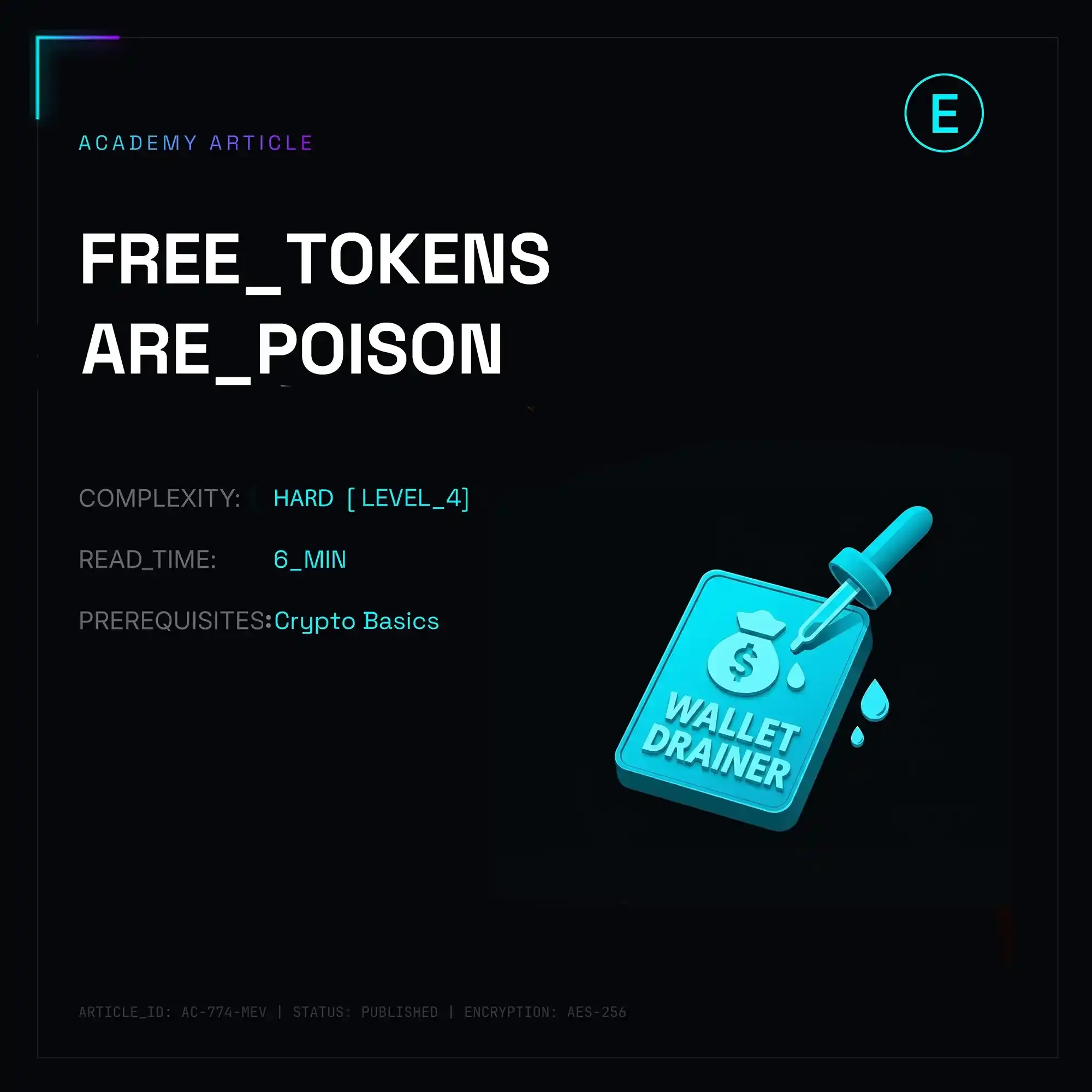
Anyone who’s been in crypto for more than five minutes has opened up Etherscan or Polygonscan only to freeze in utter disbelief: suddenly, there’s $50,000 sitting in their wallet balance under some sketchy ticker like 25000-USDT-Voucher or UNISWAP-AIRDROP.COM. Sounds like hitting the lottery, right? In reality, it’s digital sarin gas. Every single one of these mystery tokens is a compiled trap, engineered specifically to drain your wallet down to the last penny.
Free lunch in Web3 isn't just a meme—it's weaponized math. These tokens are technically architected to exploit EVM design patterns and human greed against asset holders.
Anatomy of the Scam: 4 Engineering Vectors Used to Drain You
There are four primary attack vectors bad actors use to turn that flashy number in your wallet into a zero in your bank account.
1. Phishing Domain Injection (Ad-Baiting via Token Metadata)
The simplest, most widespread playbook. The token’s name or symbol explicitly embeds a malicious URL: Claim-Reward-5000.net or AAVE-Bonus.org.
You hop over to the dApp interface, try to swap the token, and the site prompts you to connect your wallet. What follows is a standard Approve or Permit signature pop-up, handing the scammers full allowance over your actual blue-chip assets (ETH, USDT, WBTC).
There isn't even any complex smart contract logic on the airdrop token itself—it basically functions as a spam banner delivered straight to your wallet UI.
2. Malicious ERC-20 Logic & Transfer Hijacking (Poisoned Contracts)
Here, the mechanical trap is compiled directly into the token's bytecode. The contract is written so that standard ERC-20 implementations like transfer() or approve() deviate completely from the spec.
A user spots the token balance, head over to a DEX like Uniswap, and attempts to dump it. The transaction reverts, but prompts the user to "authorize" the contract. That authorization call invokes an external function containing a malicious execution pipeline—think delegatecall tricks or stealth-transferring balances directly to the attacker’s address.
In other cases, the contract continuously burns native gas tokens (ETH, MATIC, BNB) under the guise of failed swap attempts, draining your wallet's gas balance dry through infinite loops.
3. Signature Poisoning: EIP-2612 & Permit2 Exploits
The nastiest, gasless attack vector out there. Smart contracts leveraging EIP-2612 and protocols like Permit2 allow allowance approvals without broadcasting an on-chain transaction—it all happens via off-chain signatures.
The user signs a seemingly innocent, unreadable hash payload on a phishing dApp. By doing so, they grant cryptographic consent to transfer assets via the permit() function. A drainer script instantly relays the signed payload via private mempools or MEV infrastructure (like Flashbots)—and all legit tokens vanish from the wallet within a single block.
4. Zero-Value Transfer & Address Poisoning (Vanity Address Spoofing)
Scammers use vanity address generators to spin up addresses matching the first and last few characters of your frequent counterparties (e.g., 0x71a...9B2). They then broadcast a 0-value transfer to or from your wallet. Next time you copy an address from your transaction history to make a transfer, you accidentally grab the attacker's spoofed address instead.
Post-Mortems: How Millions Evaporate in Seconds
Case 1: Arbitrum Ecosystem & The Lethal Permit2 Drain
In March 2024, security researchers tracked a textbook incident involving the Inferno Drainer suite. A user noticed 100,000 ARB-REWARD-2024 tokens in their Arbitrum wallet. Clicking the domain embedded in the token name, the victim landed on a pixel-perfect clone of the Arbitrum Foundation portal.
[User]
   │
   ├─► (1) Spots 100,000 ARB-REWARD in wallet balance
   │
   ├─► (2) Follows embedded link to phishing site
   │
   ├─► (3) Signs `Permit2` message (thinking it's an airdrop claim)
   │
   └─► (4) Drainer contract sweeps in a single block:
         ├── 12.4 WETH
         ├── 45,000 USDC
         └── 18,000 ARB
The site prompted them to "Claim Airdrop," generating a Permit2 signature request. Assuming it was a routine claim interaction, the user approved it. Within the same block, the drainer contract wiped out their real balance—not the fake ARB, but 12.4 WETH and 45,000 USDC. Permit2’s batching mechanics allowed the attacker to sweep multiple asset approvals in one single cryptographic execution.
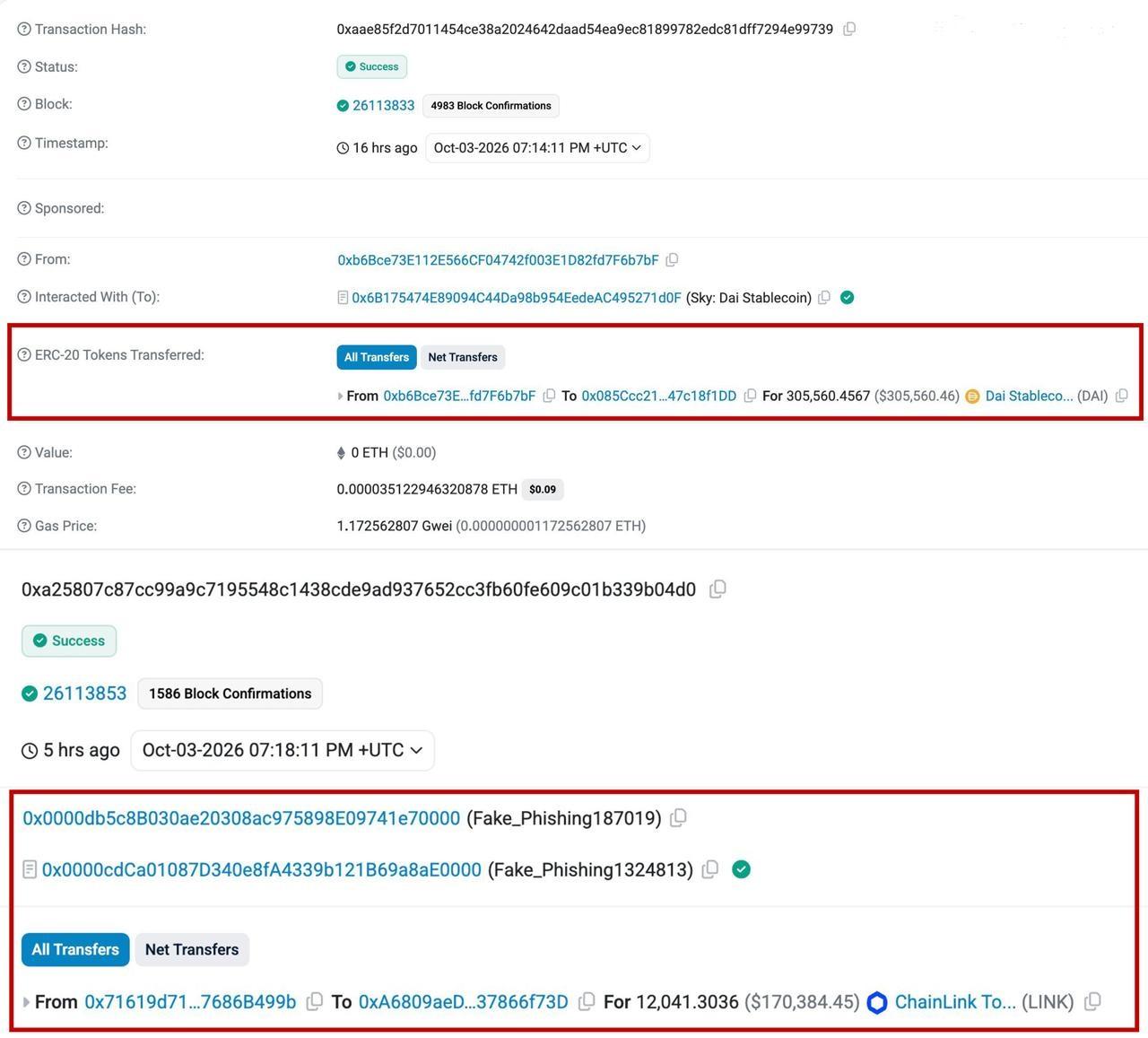
Case 2: $305,560 in DAI Torched by Copy-Pasting Transaction History
On October 3, 2026, a painfully classic address poisoning loss hit the chain. Wallet owner 0xb6Bce...f76b7bF went to make a routine transfer. Instead of double-checking the destination bytes or grabbing the address from a verified address book, they simply opened their wallet history and copied a recent address.
- Tx Hash: 0xaae85f2d7011454ce38a2024642daad54ea9ec81899782edc81dff7294e99739
- From: 0xb6Bce73E112E566CF04742f003E1D82fd7F6b7bF
- To: 0x085Ccc21...47c18f1DD
- Amount: 305,560.4567 DAI ($305,560.46)
The Address Poisoning trap worked flawlessly. The scammer had previously spammed a zero-value tx using a vanity address with identical prefix and suffix characters. The victim copied the ghost address and manually sent $305,560.46 in DAI straight to the attacker. No smart contract exploit, no drainer script—just muscle memory and lazy copy-pasting.
Case 3: $170,000 LINK Stolen via Time-Bomb Permit Approval
That same day, October 3, 2026, on-chain monitoring flagged another massive drain showing just how long phishing approvals can lay dormant.
- Tx Hash: 0xa25807c87cc99a9c7195548c1438cde9ad937652cc3fb60fe609c01b339b04d0
- Victim: 0x71619d71...7686B499b
- Drainer: 0xA6809aEd...37866f73D (Fake_Phishing187019)
- Amount: 12,041.3036 LINK ($170,384.45)
An investor lost 12,041 LINK (~$170,384) due to a leftover Permit2 authorization signed on a scam site way back in August 2025. The attackers didn't touch the wallet immediately; they played the long game, waiting over a year for a sizeable balance to accumulate before triggering their sleeping contract (Fake_Phishing187019).
Comparative Matrix: Scam Token Attack Vectors
| Parameter | Phishing Token | Malicious ERC-20 | Address Poisoning | Permit / EIP-2612 |
|---|---|---|---|---|
| Primary Goal | Drive traffic to external phishing dApp | Swap failures / Gas siphon | User copy-paste blunder | Stealth allowance takeover |
| Financial Risk | High (if web form submitted) | Medium (gas burn / failed tx fees) | Critical (total loss of transfer) | Maximum (wallet swept clean) |
| Requires Visiting Site? | Yes | Not necessarily | No | Yes |
| Signing Mechanism | Standard (Approve) | Direct contract call | None (User mistake) | Off-chain signature (Permit) |
| Detection Difficulty | Low (URL is obvious) | Medium (requires bytecode audit) | High (visual similarity) | Extremely High (opaque payload bytes) |
OpSec Checklist: Handling Dust & Scam Airdrops
Rule #1: Do NOT touch them. Period.
The cardinal rule of Web3 OpSec when dealing with unsolicited tokens: don't burn them, don't transfer them, and don't try to cash out. Interacting with the token requires invoking its contract functions. The moment you execute a call, you expose your wallet state to arbitrary code execution.
- In MetaMask / Rabby UI: Right-click the token or navigate to display settings and select "Hide".
- Allowance Hygiene: Regularly audit active allowances using tools like Revoke.cash or Etherscan Token Approval. If you ever mistakenly interacted with a scam token, revoke all approvals for that contract address immediately.
- Bytecode Verification: Check the token contract on Etherscan. If the contract source code isn't verified (no green checkmark) or triggers simulation warnings on Blockaid / Chainalysis, it's 100% a drainer setup.
- Hardware Wallet Safeguards: Cold wallets like Ledger or Trezor won't magically stop you from signing a bad Permit message if you blindly confirm it, but they force you to slow down and verify the Spender Address on an isolated physical screen.
- Address Book Hygiene: Never copy destination addresses from block explorer transaction logs or recent wallet history. Maintain a local, verified address book or double-check every single character—all 42 bytes—before hitting send.
Treat unexpected tokens in your wallet like radioactive waste. They're worth zero dollars, but capable of nuking everything you hold.